
Racing routes
TCS49 Lights or Mist?
Plan your racing route.
Build a simple racing story with a straight, a wide turn and a finish box. TCS49 is listed in three colors, each with a Lights version or a Mist spray version. Compare the six configurations below, then match the supplier demonstration to the version you want to show.
Real actions
Explore every filmed move
Movement, controls and details from the supplier demonstrations. Each clip names the filmed color and matching configuration; the scene and play missions below are illustrations and suggestions.
TCS49
5 demonstrations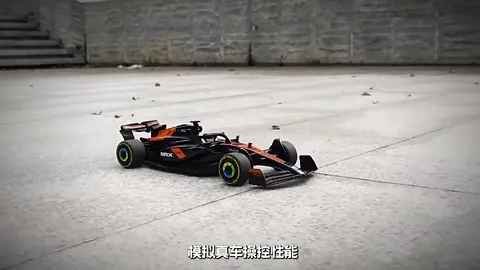
Supplier demonstration · TCS49
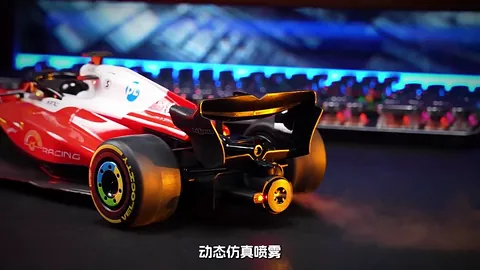
Supplier demonstration · TCS49
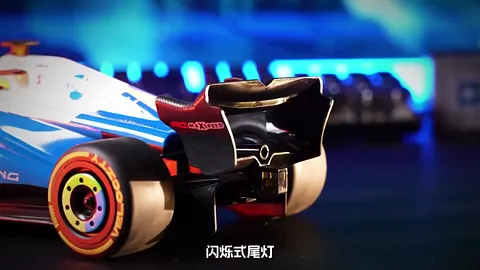
Supplier demonstration · TCS49
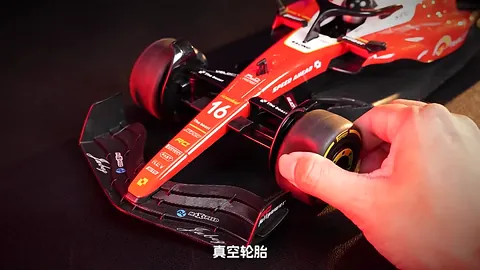
Supplier demonstration · TCS49
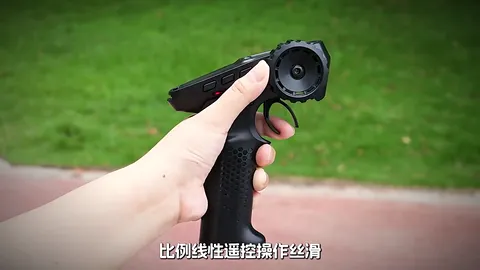
Supplier demonstration · TCS49
Silent clips load when you press play. A repeated excerpt shows a visible action, rather than a measurement of speed, slope, capacity or operating time.
Make three simple landmarks
Choose a clear, smooth, level area suitable for the model. Draw a start line, a broad turn and a finish box with removable markers that stay outside the wheel path. Leave more room around the turn than you first think you need, then adjust after a slow practice pass.
- Start straight. Point the car toward the first marker and practise setting off and stopping before adding a full course.
- Turn wide. Use the pistol-grip controller to guide the car around the outside of a marker. Move the marker farther away if the route feels cramped.
- Park at the finish. Aim to stop inside a generous finish box. Restart from the same line and try to make the next lap smoother.
For a shared game, take turns choosing the next turn direction. Compare how neatly each pass follows the route. This is a route idea; the footage does not measure speed, turning radius or lap time.
Choose the color and the effect
Both TCS49 versions list a 1:10 formula-style body, LED lights, rubber tires and a 2.4GHz pistol-grip controller. The SPRAY version adds rear water mist; choosing Mist spray does not mean giving up the listed lights.
Swipe or scroll to compare all columns.
| Color | Lights | Mist spray |
|---|---|---|
| Blue / White | TCS49-BL-LED | TCS49-BL-SPRAY |
| Orange / Black | TCS49-OR-LED | TCS49-OR-SPRAY |
| Red / Black | TCS49-RD-LED | TCS49-RD-SPRAY |
The turning clip shows the orange car; the rear-mist close-up shows the red SPRAY car. A color or steering clip does not, by itself, establish whether the box is the Lights or Mist spray version. Use the exact SKU and configuration label.
Water mist is a visual effect. Follow the supplied instructions for filling and operation; it does not establish water-driving capability.
Make a clear sample or shop demonstration
- Label the selection. Put the color and full LED or SPRAY SKU next to the car so the display matches the product being offered.
- Show the route. Use the start, wide turn and finish box above to demonstrate steering on suitable smooth, level ground.
- Show the effect separately. For a SPRAY sample, identify the rear mist and follow its filling instructions. Do not describe a Lights sample as including mist.
The current packing description identifies the car and pistol-grip controller and asks buyers to confirm the full packing list with the quote. Confirm the battery, charging items, filling accessories where relevant, retail box and instructions for your selected SKU before preparing a listing or order.
Before the first lap
Should the route include ramps or water?
This guide uses smooth, level ground. Keep the game within the operating conditions in the supplied manual; the steering clip does not establish jump or amphibious capability.
Which configuration should a buyer request?
Name the TCS49 model, color and Lights or Mist spray option. Add the market and quantity when asking for a sample or wholesale quote.
Sources: supplier product footage and TCS49 model and configuration information. Reviewed . Configuration comparisons use the current model listing; the clips are not performance measurements. Play ideas are suggestions; follow the supplied manual.