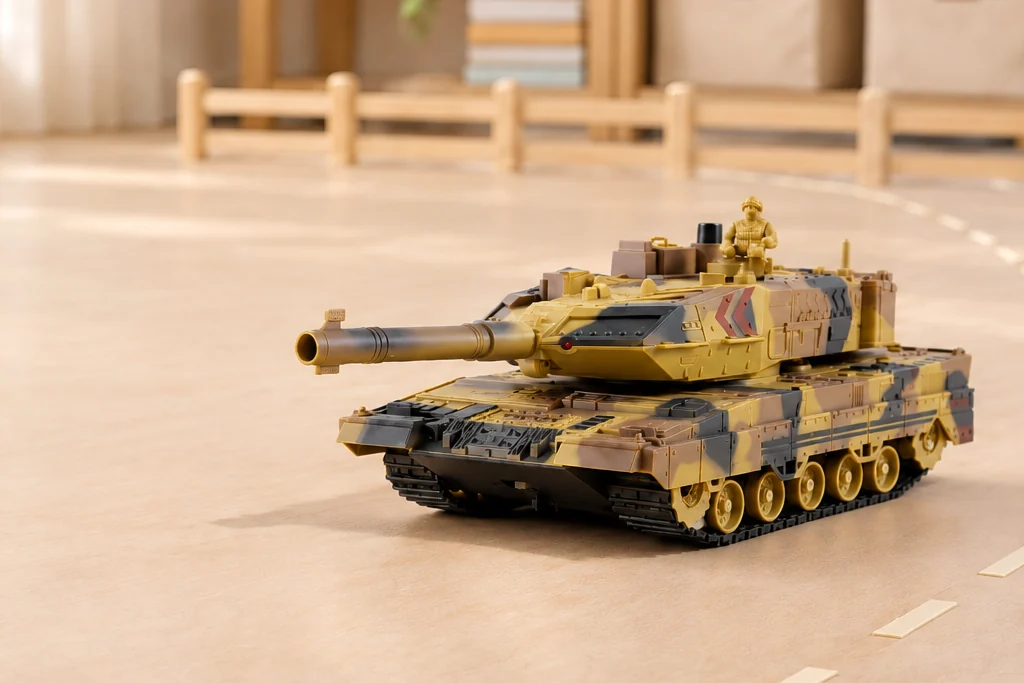
Tracked route play
Follow the tracks.
Turn and park.
Lay out a short driving route, take a broad turn and stop at an observation point. TCS11 is a tracked RC tank in Desert yellow or Desert green. Use the supplier footage to see the filmed movements, then choose the exact color and confirm its setup before making a sample or shop display.
Real actions
Explore every filmed move
These supplier excerpts show the filmed color and action. Each card identifies its matching SKU. The route activities below are play suggestions, separate from the supplier footage.
TCS11
4 demonstrations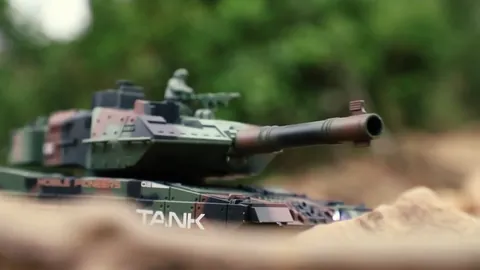
Supplier demonstration · TCS11
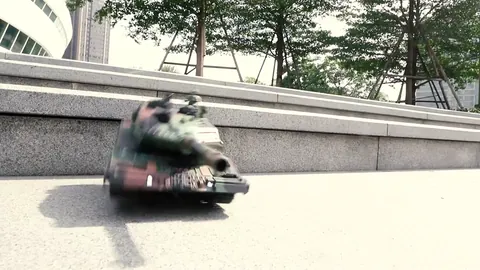
Supplier demonstration · TCS11
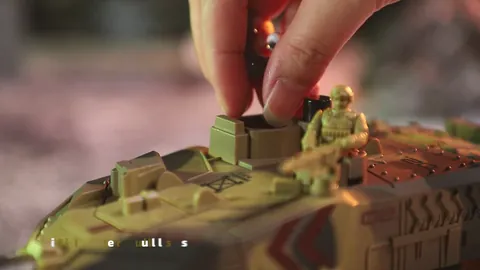
Supplier demonstration · TCS11
Supplier demonstration · TCS11
Silent clips load when you press play. Short repeated excerpts show visible actions; they do not measure speed, range, climbing ability or operating time.
Give the tracks a clear route
Choose a dry, level surface suitable for the model and leave open space around it. Mark a start point, a wide turn and a stopping area with removable markers outside the track path. The aim is to make each movement easy to see.
- Drive a short straight. Align the tank with the first marker, move forward and stop before extending the route.
- Make one broad turn. Use an open curve around the marker. Leave room for the whole body and barrel as the tank changes direction.
- Park at the observation point. Stop within a generous marked box and release the driving controls before trying the turret control.
- Reverse the story. Move the start marker to the other end and take a new route through the same open space. Compare how smoothly you reach the stopping area.
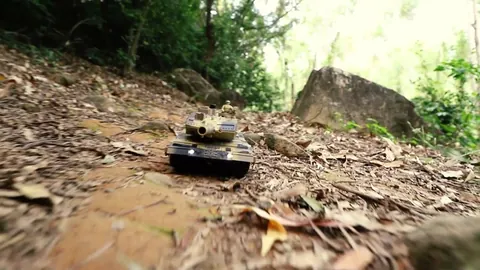
The Green clip shows driving and turning near a shallow step; the Yellow clip shows a woodland setting with small stones. These excerpts do not measure climbing height, slope, grip or durability. Use the manual and a suitable sample area to decide which surface is appropriate.
Stop the tracks and watch the turret
At the stopping point, keep the chassis still and try a small turret movement using the supplied controls. Place a route marker well clear of the tank as a visual reference and observe how the turret changes direction while the body stays in place.
The current product listing describes a 360° rotating turret and an adjustable barrel. The Green supplier excerpt shows only a small turret turn; it does not demonstrate a full rotation or establish how every control behaves. Ask for a continuous sample demonstration of the listed movements and follow the operating instructions.
This route activity uses driving, turning and observation. It does not require loading or firing water beads.
Choose the listed color, then match the clip
Both current TCS11 color options are listed as the water-bead configuration, with a tracked body, rotating turret, adjustable barrel, water-mist exhaust effect, lights, sounds and an automatic demonstration function. The color selection does not create a separate mist-only or no-projectile version.
Swipe or scroll to compare all columns.
| Color | Exact configuration | Assigned footage |
|---|---|---|
| Desert yellow | TCS11-YL | Opening and filling the magazine; driving through a woodland stone setting |
| Desert green | TCS11-GN | A small turret turn; driving and turning on tracks |
Both listings specify a 13-channel 2.4GHz remote and a 3.7V 1200mAh rechargeable battery. The controller requires two AA batteries, listed as not included. Confirm the current specifications and included charging items against the sample and quote.
The magazine-loading excerpt identifies the supplied configuration; it is not a preparation guide. Refer to the model’s manual for handling, filling and operation. Mist is a visual effect and does not establish amphibious capability.
Prepare a sample demonstration buyers can follow
- Label the exact SKU. Keep Desert yellow or Desert green next to the sample and its box. Use the matching filmed color when sharing a clip.
- Separate the movements. Show a short drive and stop first, then demonstrate turret and barrel controls while stationary, according to the manual.
- Confirm the other listed functions. Ask the supplier to identify mist, lights, sounds and the automatic demonstration controls on the actual sample. None of these four short clips establishes every listed function.
- Match the box contents. Check the vehicle, controller, rechargeable battery, USB charging cable, screwdriver, manual, water filler and listed water beads against the quote and final retail box.
For retailers and distributors, confirm the manual language, warnings, packaging and documents for the destination market before preparing an order or publishing a listing. The product listing alone does not verify market acceptance.
Before the first route
Is the woodland clip proof that the tank can climb any obstacle?
No. It shows the Yellow tank travelling through one filmed setting. It does not establish a maximum obstacle height, climbing angle, waterproof rating or performance on other surfaces.
Can I choose a no-water-bead version from this page?
The two current TCS11 SKUs are Desert yellow and Desert green water-bead configurations. A different version must be confirmed separately with the supplier; it is not one of the listed options here.
Do these clips show the mist effect?
No clip in this four-part TCS11 set is assigned as a mist demonstration. Water mist is a listed product feature; ask to see it on the selected sample before using it in your own sales material.
What should a wholesale inquiry include?
Send TCS11-YL or TCS11-GN, the destination market, target quantity and packaging requirements. Ask to confirm the current specifications, manual, full packing list and relevant documents.
Sources: supplier product footage and TCS11 model and configuration information. Reviewed . Configuration comparisons use the current model listing; the clips are not performance measurements. Play ideas are suggestions; follow the supplied manual.