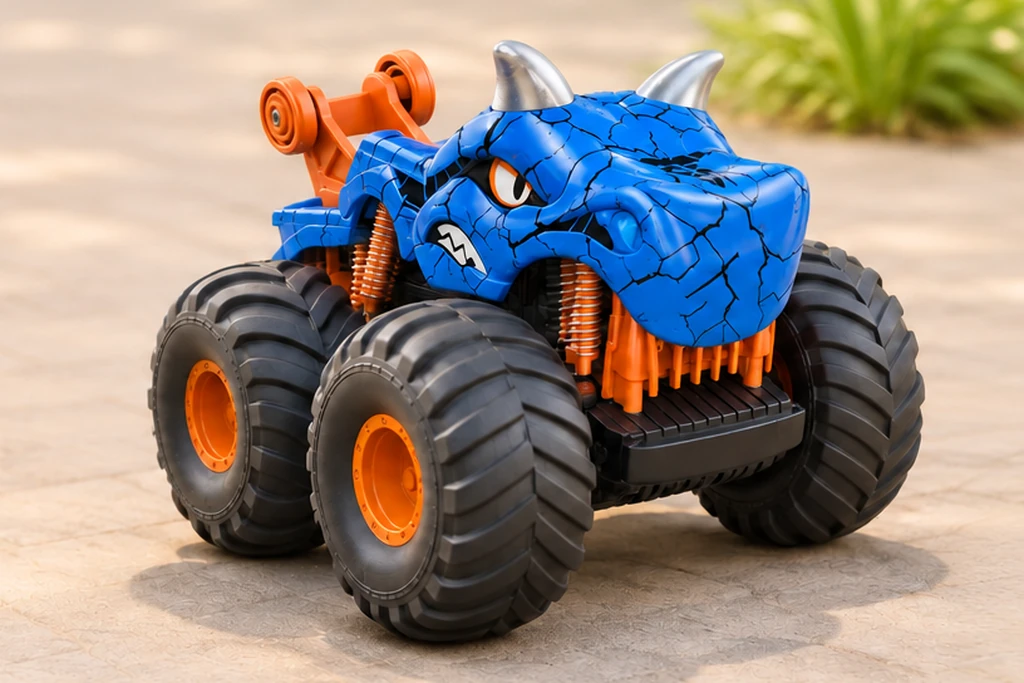
Standing dinosaur
Stand tall.
Turn like a dinosaur.
Give a short drive a new shape. TCS50 is a dinosaur-style RC car with listed standing-drive, upright-spin and light-switching functions. Watch the Blue and Green cars in four supplier excerpts, then try a roomy start, turn and park activity on suitable level ground.
Real actions
Watch the stance change
These excerpts retain the filmed color and matching SKU. The upright movement and grass-driving views come from supplier footage. The activity below is a play suggestion; the opening scene is an AI illustration.
TCS50
4 demonstrations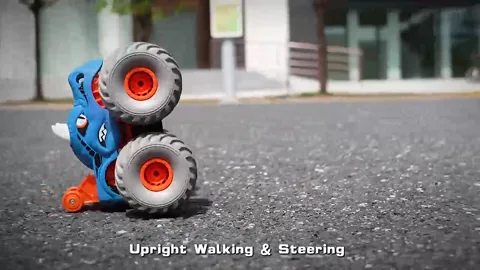
Supplier demonstration · TCS50
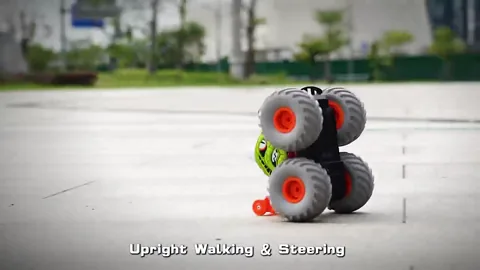
Supplier demonstration · TCS50
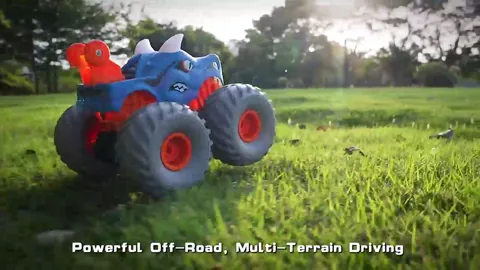
Supplier demonstration · TCS50
Supplier demonstration · TCS50
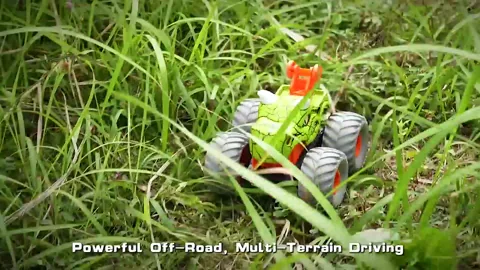
Silent clips load when you press play. A short repeated excerpt shows a visible action; it does not measure range, runtime, speed, slope capability or resistance to impacts.
Start with a short floor route
Choose a clear, smooth, level area and use the supplied instructions to identify forward, reverse, left and right. Keep people, loose objects and floor markers outside the wheel path. Start with ordinary driving before adding a standing move.
- Mark a generous start box. Use removable markers around an open space. Point the car into a clear lane, make a short forward movement and stop.
- Add a broad turn. Set one marker well away from the car and steer around it. Move the marker farther out if the turn feels tight.
- Park, then reset. Return to the start box and stop. Take turns choosing a left or right route; aim for a neat finish rather than a fast time.
The grass excerpts offer a view of the supplier’s demonstration setting. For the first play session, use the surface and conditions allowed by the manual and check the actual sample before planning a rough-ground display.
Give the standing move its own space
The Blue clip shows upright travel, while the Green clip shows an upright turn. Keep this part of the activity in a separate clear area so the car has room to change stance and rotate.
- Stop in the open area. Finish the floor route first. Leave room around the car and follow the manual for the standing control and starting position.
- Try one supported move. Make one brief standing-drive or upright-turn action as instructed. Watch the stance from a safe distance and let the wheels stop before approaching.
- Return as instructed. Bring the car back to its normal driving position using the stated controls, then finish with a short drive and a stop.
For a shop display, demonstrate the normal stance and standing stance one at a time. Ask for a continuous demonstration of the change, control input and return on the exact sample you plan to order.
Choose the color and verify the sample
Blue, Green and Red are the supplier’s three listed color names for TCS50. All three list the same 2.4GHz controller, three light-switching settings and standing functions. The current excerpts here are assigned to Blue and Green only.
Swipe or scroll to compare all columns.
| Listed color | Exact SKU | Footage on this page |
|---|---|---|
| Blue | TCS50-BL | Upright driving and grass-driving excerpts |
| Green | TCS50-GN | Upright turning and grass-driving excerpts |
| Red | TCS50-RD | No separately assigned Red clip; request current color photos and a sample demonstration |
Use the full SKU when requesting a sample, and confirm the supplied finish against current photos. Catalog artwork and video lighting can change how a color appears.
Check the controls, charge and retail box
The supplier lists an 18 × 18 × 14cm car, ages 6+, a 3.7V 500mAh rechargeable vehicle battery and USB charging. Listed operating time is about 30 minutes, charging time about 180 minutes and control distance about 25 metres. These are supplier figures, separate from the short clips.
- Match the contents. Check the RC car, controller, rechargeable battery, USB charging cable and screwdriver against the current packing list. The controller lists two AA batteries, purchased separately.
- Confirm the instructions. Ask for the manual covering charging, normal driving, standing controls and the light-switching settings. Follow its battery and supervision guidance.
- Review the order details. Confirm the selected color, current box artwork and language needs. The supplier lists 24 pieces per carton; verify final packing and shipping details for the order.
Before you choose the dinosaur
Are TCS50 and the TCS17 dinosaur car the same model?
They are separate families. This page covers the TCS50 standing dinosaur-style car. TCS17 has a different eight-wheel transforming chassis and its own controller configurations and footage.
Does every listed color have its own clip here?
The four excerpts on this page show Blue and Green cars. Red is a listed color SKU, but no separate Red clip is assigned here. Request the exact color sample and current photos before preparing a retail listing.
Can the grass clip confirm waterproof use or a drop rating?
A grass-driving excerpt shows that brief filmed scene. It does not establish waterproof use or a tested impact rating. Request the operating limits and any relevant test documents for the exact model and market.
Sources: supplier product footage, catalog artwork and TCS50 model and configuration information. Reviewed . Specifications are supplier-listed; the clips show their stated colors and actions. Play ideas are suggestions; follow the supplied manual.