
Creative routes & decoration
Make it yours.
Plan a tiny route.
Decoration gives a small RC truck a personal role before it starts moving. TCS02 combines truck driving with an included DIY sticker sheet, removable desk-fan use and building-block play. Start with the supplied stickers, then give the finished vehicle a route and a story.
Real actions
Explore every filmed move
Movement, controls and details from the supplier demonstrations. Each clip names the filmed color and matching configuration; the scene and play missions below are illustrations and suggestions.
TCS02
4 demonstrations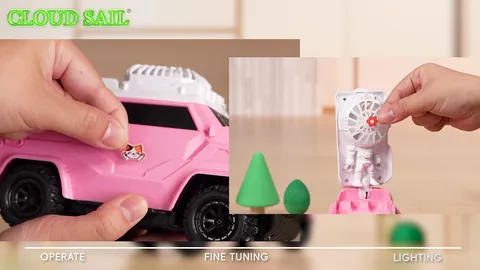
Supplier demonstration · TCS02
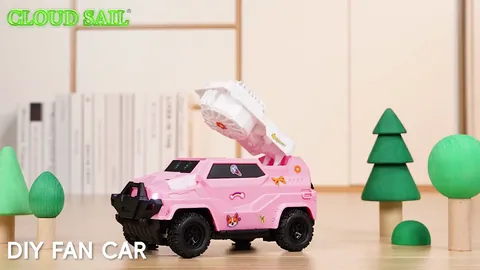
Supplier demonstration · TCS02
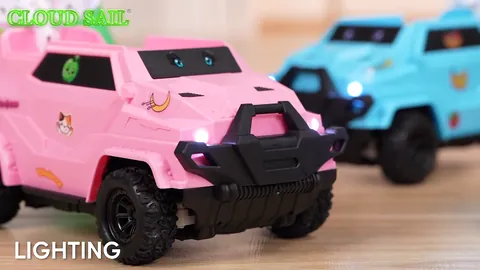
Supplier demonstration · TCS02
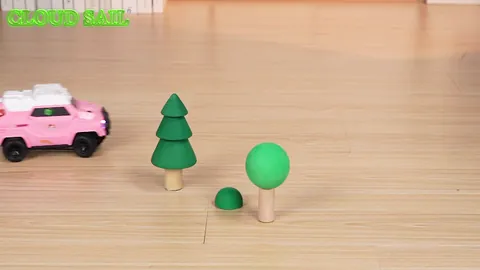
Supplier demonstration · TCS02
Silent clips load when you press play. A repeated excerpt shows a visible action, rather than a measurement of speed, slope, capacity or operating time.
What the decoration clip shows
The supplier clip shows stickers being applied to the pink TCS02 truck. It demonstrates decorating the existing body; it does not show printing decals, making new stickers or changing the electronic controls. The same family is listed in blue, pink and yellow, with the selected color shown on its product page.
The listed three-in-one features describe different uses of the product. They do not mean the fan assembles automatically while driving. Water mist is not a listed feature of TCS02.
Play idea: decorate a delivery truck
- Choose a delivery story, such as a depot, a workshop or a train station.
- Plan a sticker arrangement using the sheet supplied with the truck. Follow the included instructions for where stickers and parts belong.
- Mark a start and finish on a clear, level play area, leaving a wide space to turn.
- Drive between the two markers and pause at the finish to show the decoration.
These are creative scene ideas. The manual remains the guide for assembly, removable parts, charging and control use.
Keep the three uses easy to understand
For the driving scene, show the truck as configured for driving. If you want to present the removable desk fan or building-block play, make that a separate demonstration using the supplied parts and instructions. A clear change of scene helps viewers understand which activity they are watching.
The existing packaging list includes one DIY sticker sheet. Do not assume it includes unlimited replacement sheets, custom printed designs or extra building sets. Confirm current box contents when selecting a sample or preparing a retail description.
Questions before choosing
Is this a tutorial for making or printing decals?
No. This idea uses the stickers included with TCS02. Designing and printing new decals is a separate activity that the supplied footage does not demonstrate.
Are accessories from other building-block brands compatible?
Compatibility has not been established here. Use the supplied parts and confirm any additional accessory requirement before describing it as compatible.
Sources: supplier product footage and TCS02 model information. Reviewed . Play ideas are suggestions; follow the supplied manual.